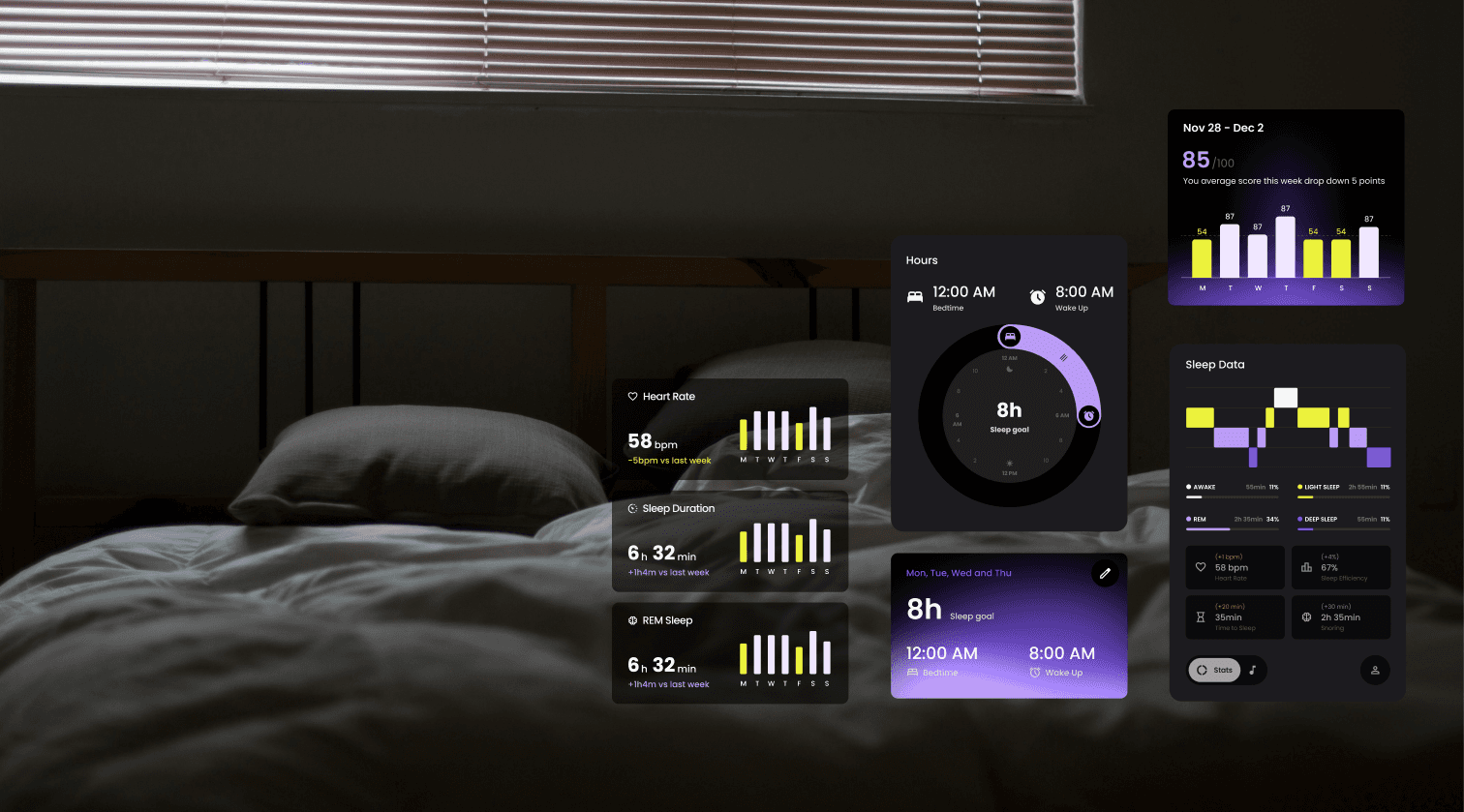
OZI Sleep
Intelligent Sleep Assistant
Year
2025
Project Length
2 Month
Platform
Mobile Application
OZI Sleep is an innovative 3D printing bed frame company dedicated to serving both children and the elderly. I'm asked to redesign the website and mobile app.
My Role
UIUX Designer
Timeline
2025.09-2025.11
Team Member
2 Product Manager
1 Visual Designer
1 Algorithm Expert
Tools
Figma, Webpress, Shoptify, Woocommerce
Problem
Ensure the nighttime readability for elderly users
The OZI Sleep mobile app is designed for parents monitoring their children’s sleep and for elderly users tracking their own sleep stages via a smart bedframe. However, the current app can’t effectively communicate essential information due to a complex information architecture.
Inconsistent Flows
The user flows that took our users from the landing page to any subpage had multiple points of friction or action buttons for the elderly.
Unclear Data Structure
The daily, weekly and monthly data and trends representation are not explicit for users, making it difficult for users to interpret patterns over time.
Solution
Prioritize data through clear representations that emphasize trend tracking, enable one-tap navigation, and provide customizable insights tailored to individual user needs.
User Goal
Professional Trustworthiness
Users need a consistent representation of the sleep metrics and professional data analysis with customized recommendations in the next step. In this case, they are more likely to trust the insight, follow the recommendations, or engage with in-app services.
Business Goal
Drive User Retention
Increase long-term user retention with the subscription of software and hardware service
TASK 1 - Listen to Users' Feedback
Understand Sleeping Data
01
Painpoint
Design Strategy
01
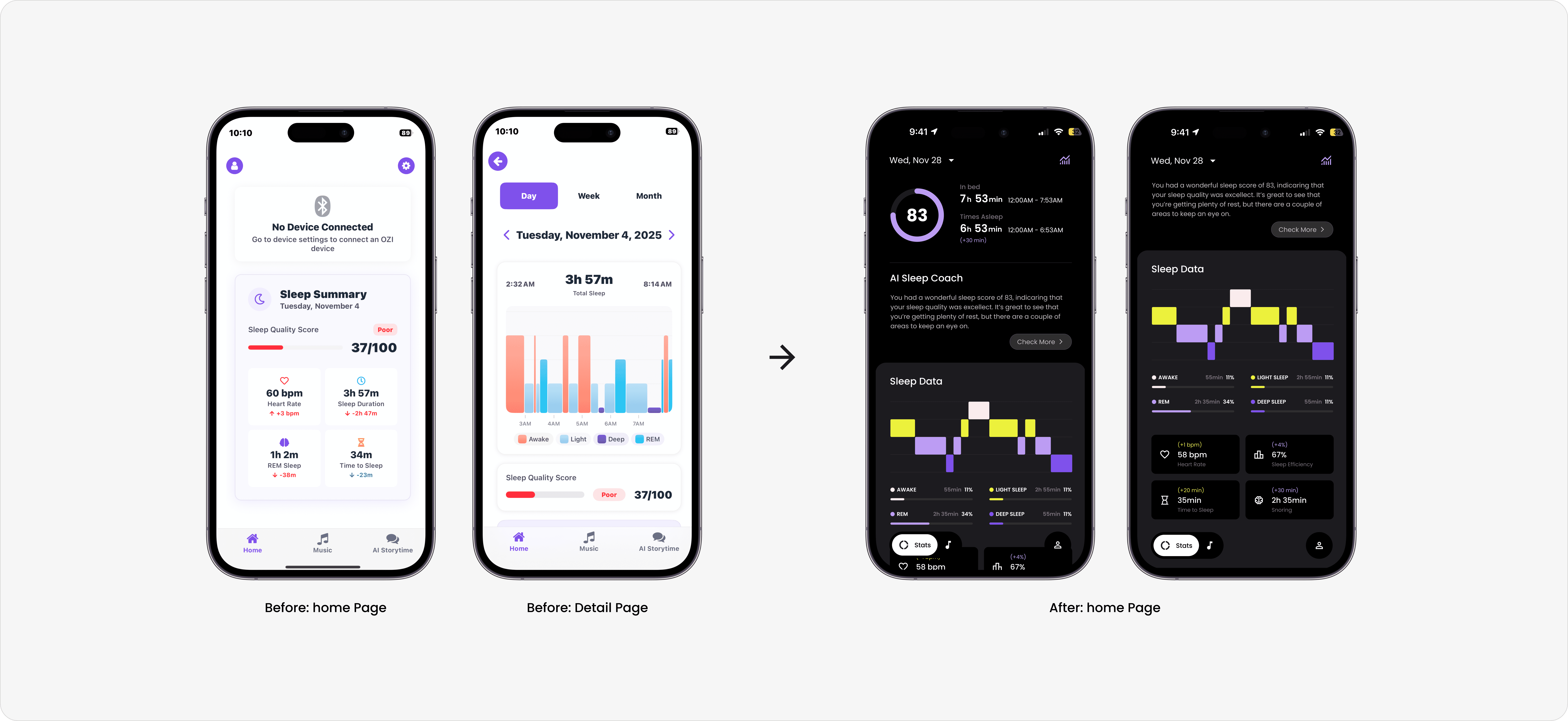
User ignores the metrics on the first page.
Prioritize last night’s outcome as the primary entry point with a visualized graph
Condense information on the home page
02
User can’t evaluate the importance of different sleep metrics.
Classify sleep metrics and break them down into different forms
Transform a collection of disconnected metrics into a clear narrative summary of the user’s sleep
TASK 2 - Trade off with Dev Team
01
Painpoint
Design Strategy
01
User can’t perceive the trend over time
Have a weekly and monthly summary that compares different sleep metrics in a visualized way
Highlight positive and negative change by color and shapes
02
The time frame is relatively fixed
Add a calendar table to choose a time frame flexibly
Final Design

Reflection
Time-sensitive Data
In a health-tech project, the UI must bridge the gap between raw metrics and human understanding. This A user should be able to recognize if this number good or bad without doubt. For example. I utilized color-coded ranges paired with descriptive icons to provide immediate context.
Emphasizing Change Over Judgement
The primary goal is to move the UI language away from a "grade-based" system to a "support-based" system. If a user has a terrible night’s sleep, interface should treat "bad" data as an opportunity for recovery rather than a failure.